
Introduction
The terms screen, monitor, and display are often used as if they mean exactly the same thing. In everyday conversations, people frequently switch between these words without thinking twice. However, while they are closely related, they are not always interchangeable. Each term has its own meaning, preferred context, and level of technical accuracy.
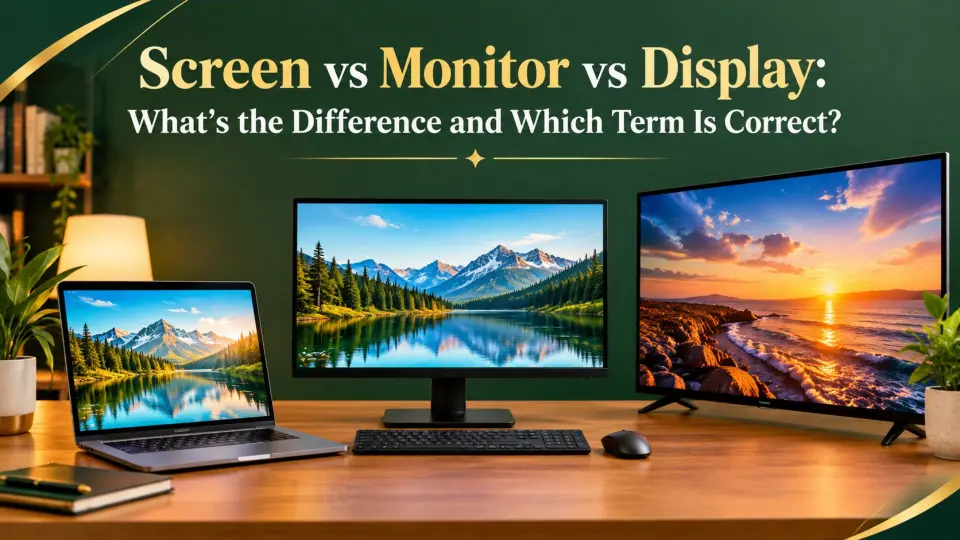
A screen usually refers to the surface where images appear; a monitor is a complete hardware device that displays visual output from a computer; and display is the broadest term, referring to any technology or device that presents visual information. Knowing these distinctions helps you communicate more precisely, especially in technology, education, business, and product reviews.
Whether you’re buying a new computer, comparing televisions, discussing smartphones, or writing technical content, understanding screen vs monitor vs display will help you choose the right word. This guide breaks down each term with clear explanations, comparison tables, practical examples, and real-world scenarios so you’ll know exactly which one to use.
The Core Rule Explained Simply
The easiest way to distinguish screen, monitor, and display is to think about what you’re describing.
Use screen when talking about the visible surface where images, text, or videos appear.
Examples:
- My phone screen is cracked.
- The laptop screen is bright.
- Don’t touch the television screen.
- The movie filled the entire screen.
- Her tablet screen has fingerprints.
Now look at the monitor.
Use monitor when referring to the entire external computer display device.
Examples:
- I bought a new computer monitor.
- The monitor supports 4K resolution.
- His gaming monitor has a 240 Hz refresh rate.
- The office installed dual monitors.
- This monitor includes built-in speakers.
Finally, consider display.
Use display when discussing the technology, visual output, or general viewing system rather than a specific device or surface.
Examples:
- This smartphone has an OLED display.
- The display produces accurate colors.
- The car features a digital display.
- The smartwatch has a bright display.
- The aircraft uses multiple navigation displays.
Here’s the simplest rule:
- Screen = the viewing surface.
- Monitor = the complete computer display device.
- Display = the general visual output or display technology.
Category 1: Screen
A screen is the actual surface that shows images.
It can refer to:
- A phone screen
- A laptop screen
- A television screen
- A movie screen
- A tablet screen
Examples:
- The screen needs cleaning.
- My screen has a scratch.
- The screen is too dark.
- I accidentally cracked my phone screen.
- The classroom projector filled the entire screen.
Notice that the focus is on the visible area rather than the complete device.
Category 2: Monitor
A monitor is an electronic device connected to a computer or similar system.
It includes much more than the viewing surface.
A monitor contains:
- The display panel
- Internal electronics
- Power circuitry
- Input ports
- External housing
- Control buttons
Examples:
- I replaced my old monitor.
- The new monitor supports HDR.
- This monitor has an IPS panel.
- Her office uses two monitors.
- The monitor connects through HDMI.
When discussing computer hardware, monitor is usually the correct term.
Category 3: Display
A display is the broadest and most flexible term.
It can describe:
- A screen
- A monitor
- A television panel
- A smartwatch interface
- A digital dashboard
- A phone panel
- A built-in information system
Examples:
- The OLED display looks stunning.
- This laptop has a high-resolution display.
- The medical device includes a touchscreen display.
- The car’s digital display shows navigation.
- Airline pilots rely on multiple flight displays.
Technical writers often prefer display because it covers many different technologies.
Side-by-Side Comparison Table
| Situation | Example | Meaning | Best Term |
| Cracked phone surface | The phone screen is broken. | Viewing surface | Screen |
| External PC hardware | I bought a new gaming monitor. | Complete device | Monitor |
| OLED technology | This OLED display is impressive. | Display technology | Display |
| Laptop viewing area | The screen is glossy. | Surface | Screen |
| Office workstation | Dual monitors improve productivity. | Hardware | Monitor |
| Smartwatch visuals | The display remains visible outdoors. | Visual technology | Display |
| Projector image | The movie appeared on the screen. | Projection surface | Screen |
| Medical equipment | The display shows patient data. | Visual interface | Display |
| Computer purchase | The monitor supports USB-C. | Physical device | Monitor |
| Car dashboard | The digital display shows speed. | Built-in information panel | Display |
Deep Dive into Category 1: Screen
The word screen is one of the oldest and most commonly used terms for anything that shows visual information. In modern English, it usually refers to the surface you look at, not the electronics behind it.
Let’s examine its most common uses.
Screen as the Visible Surface
Most people use screen when talking about the part they physically see or touch.
Examples:
- My phone screen cracked after it fell.
- Clean your laptop screen carefully.
- The tablet screen reflects sunlight.
- His watch screen is easy to read.
- The television screen measures 65 inches.
In each example, the discussion centers on the visible viewing area.
Screen in Mobile Devices
Smartphones and tablets almost always use the word screen in everyday conversation.
Examples:
- My screen won’t turn on.
- The screen brightness is too high.
- I replaced my cracked screen.
- The touch screen responds quickly.
- The screen protector prevented damage.
Consumers naturally think about the front glass and viewing surface.
Screen in Laptops
People often say laptop screen rather than laptop monitor.
Examples:
- The laptop screen has dead pixels.
- The screen tilts smoothly.
- The screen resolution is excellent.
- My screen flickers occasionally.
- The screen is covered with fingerprints.
Because the display is built into the device, the screen sounds more natural.
Screen in Entertainment
The word screen also appears in movies and television.
Examples:
- The actor appeared on the big screen.
- The subtitles filled the screen.
- The audience watched the giant screen.
- The image covered the entire screen.
- The projector displayed the presentation on the screen.
Here, screen refers to the physical surface receiving the image.
Screen in Computing
Computer users also refer to what’s currently visible.
Examples:
- My screen froze.
- The screen went black.
- Share your screen during the meeting.
- Rotate the screen.
- Lock your screen before leaving.
Notice something important.
In these situations, screen may refer to either the physical surface or the visual workspace currently displayed.
Screen in Common Expressions
English contains many expressions using screen.
Examples include:
- Screen time
- Screen sharing
- Screen recording
- Screen saver
- Screen capture
- Screen lock
- Screen brightness
- Touch screen
Example sentences:
- Parents often limit children’s screen time.
- We used screen sharing during the meeting.
- I recorded my screen for the tutorial.
- The screen saver activated automatically.
- Increase your screen brightness outdoors.
These expressions are widely recognized in both casual and professional settings.
Quick Test: Are You Using “Screen” Correctly?
Ask yourself these questions:
- Am I talking about the visible surface?
- Am I referring to something people touch or look at?
- Is the discussion about a phone, tablet, television, or laptop front panel?
- Could I physically point to the viewing area?
- Am I describing what appears on the viewing surface?
If the answer is yes, screen is almost certainly the best choice.
Common Sentence Patterns with “Screen”
Learning these common patterns makes choosing the right term much easier.
Pattern 1: Screen + Condition
Examples:
- The screen is cracked.
- The screen is dirty.
- The screen is bright.
Pattern 2: Screen + Action
Examples:
- Clean the screen.
- Touch the screen.
- Rotate the screen.
Pattern 3: Screen + Feature
Examples:
- Screen resolution
- Screen brightness
- Screen size
These sentence patterns appear every day in product descriptions, user manuals, technology reviews, software guides, and ordinary conversations. Recognizing them helps you distinguish screen from monitor and display with confidence.
Deep Dive into Category 2: Monitor
A monitor is a complete hardware device that displays visual output from a computer or another compatible system. Unlike a screen, which refers only to the viewing surface, a monitor includes the display panel, electronics, ports, stand, controls, and protective casing.
Here’s the important distinction.
Every monitor has a screen, but not every screen is a monitor.
Monitor as a Computer Peripheral
The most common meaning of monitor refers to an external display connected to a desktop computer, laptop, workstation, or gaming console.
Examples:
- I bought a new monitor for my office.
- The monitor supports 144 Hz.
- She uses two monitors while working.
- His monitor connects through DisplayPort.
- This monitor has built-in USB ports.
The discussion focuses on the entire device.
Monitor in Gaming
Gamers often discuss monitors because performance matters.
Examples:
- This gaming monitor has a 240 Hz refresh rate.
- The curved monitor improves immersion.
- My monitor supports adaptive sync.
- The new monitor has low response time.
- I upgraded to a 32-inch monitor.
Here, monitor describes hardware specifications rather than just the viewing area.
Monitor in Professional Workstations
Designers, programmers, engineers, and video editors frequently use multiple monitors.
Examples:
- Our designers use dual monitors.
- The editing studio installed color-accurate monitors.
- Financial analysts often work with three monitors.
- Architects prefer large monitors.
- The office upgraded every monitor this year.
Professional environments almost always use monitor when referring to the hardware.
Monitor in Technical Documentation
Hardware manuals almost always use monitor.
Examples:
- Connect the monitor before powering on the system.
- Adjust the monitor settings.
- Position the monitor at eye level.
- Calibrate the monitor regularly.
- Turn off the monitor when not in use.
Quick Test: Are You Using “Monitor” Correctly?
Ask yourself:
- Am I discussing the entire hardware device?
- Am I talking about computer equipment?
- Does the sentence involve ports, stands, or specifications?
- Would replacing the device require buying new hardware?
- Is the context about desktop computing?
If your answer is yes, monitor is the correct choice.
Deep Dive into Category 3: Display
The word display is the broadest and most flexible of the three terms. It refers to the technology or system that presents visual information, regardless of the device.
Because of this broad meaning, engineers, manufacturers, and technology writers frequently prefer display.
Display in Smartphones
Manufacturers usually advertise displays rather than screens.
Examples:
- The phone features a 6.7-inch OLED display.
- Its display supports HDR10.
- The display reaches 2,000 nits of brightness.
- The edge-to-edge display improves immersion.
- The display refreshes at 120 Hz.
Notice that marketing materials often prefer display because it sounds more technical.
Display in Vehicles
Modern vehicles include multiple displays.
Examples:
- The dashboard display shows navigation.
- The center display controls climate settings.
- The driver’s display provides speed information.
- The digital display changes automatically.
- The head-up display projects data onto the windshield.
In these cases, monitor would sound unnatural.
Display in Medical Equipment
Healthcare technology also relies on displays.
Examples:
- The heart monitor includes a digital display.
- The medical display shows patient data.
- The diagnostic display provides clear imaging.
- Surgeons rely on high-resolution displays.
- The portable device has a touchscreen display.
Display in Consumer Electronics
Many devices include displays without being monitors.
Examples:
- The smartwatch display is easy to read.
- The microwave has a digital display.
- The calculator display shows eight digits.
- The camera’s rear display tilts upward.
- The thermostat includes a color display.
Display in Technical Writing
Technology companies frequently choose display because it covers many products.
Examples:
- The display supports a wide color gamut.
- Increase the display brightness.
- The display remains readable in sunlight.
- This display consumes less power.
- The display automatically adjusts color temperature.
Quick Test: Are You Using “Display” Correctly?
Ask yourself:
- Am I referring to visual technology?
- Could this apply to many different devices?
- Am I discussing image quality?
- Is the emphasis on visual output rather than hardware?
- Would engineers naturally use this term?
If the answer is yes, display is likely the best choice.
The Meaning Shift (or Nuance)
Although screen, monitor, and display often describe similar things, each word shifts the reader’s focus.
Here’s how.
Screen emphasizes the surface you see or touch.
Example:
- My phone screen is cracked.
The attention is on the visible front surface.
Now compare it.
A monitor emphasizes the entire external device.
Example:
- I bought a new gaming monitor.
The focus moves from the panel to the complete hardware.
Now consider display.
Example:
- This OLED display produces vivid colors.
The emphasis is on image quality and technology.
Look at these comparisons.
- Clean the screen.
- Replace the monitor.
- Improve the display quality.
Each sentence highlights a different aspect of the same general concept.
Why the Confusion Persists
People often mix these terms because modern devices combine several technologies into one product.
Several factors contribute to the confusion.
Everyday Speech Simplifies Terminology
Most people simply say:
- My screen is broken.
Even when they’re technically referring to the entire monitor.
Technology Marketing Uses Different Terms
Manufacturers intentionally vary terminology.
Examples include:
- Retina Display
- Liquid Retina Display
- OLED Display
- Gaming Monitor
- Touchscreen
Consumers encounter all three words regularly.
Devices Have Evolved
Older desktop computers clearly separated the monitor from the computer.
Today’s smartphones, tablets, and laptops combine everything into one device.
This makes the terminology less obvious.
Many Situations Allow More Than One Term
For example:
- The laptop screen is bright.
- The laptop display is bright.
Both are acceptable.
However:
- The laptop monitor is bright.
This sounds less natural because laptops generally have built-in screens rather than external monitors.
Regional Preferences
Different industries and countries sometimes favor different terms.
Technical writers often prefer display.
Consumers usually say screen.
Computer hardware professionals often use monitor.
Formal vs Casual Contexts
The best word depends on your audience.
Formal Technical Writing
Technical manuals often prefer display.
Examples:
- Adjust the display settings.
- Increase the display brightness.
- The display supports HDR.
Hardware Reviews
Reviewers usually discuss monitors.
Examples:
- This monitor offers excellent contrast.
- The monitor includes USB-C.
- The monitor has accurate colors.
Everyday Conversations
Most people naturally use a screen.
Examples:
- My screen cracked.
- The screen froze.
- Clean your screen.
Professional IT Departments
IT staff often distinguish between the terms.
Examples:
- Replace the monitor.
- Check the display settings.
- Clean the screen carefully.
Each word communicates a slightly different idea.
Case Studies / Real-World Examples
Case Study 1: Buying a Desktop Computer
Correct:
I purchased a 27-inch monitor.
You’re buying the complete hardware device.
Case Study 2: Damaging a Phone
Correct:
My phone screen cracked yesterday.
The damaged part is the viewing surface.
Case Study 3: Smartphone Advertisement
Correct:
The phone features an OLED display.
Manufacturers emphasize technology.
Case Study 4: Office Setup
Correct:
Every employee received two new monitors.
The discussion concerns computer equipment.
Case Study 5: Software Tutorial
Correct:
Tap anywhere on the screen.
The instruction refers to the visible interface.
Advanced Scenarios & Flowchart
Use this simple decision guide whenever you’re unsure.
Text-Based Decision Flowchart
Start here:
Are you referring to the visible surface someone sees or touches?
→ Yes
Use screen.
Examples:
• Phone
• Touch
• Movie
↓
If not,
Are you referring to an external computer hardware device?
→ Yes
Use a monitor.
Examples:
• Gaming
• Office
• Dual
If not,
Are you discussing visual technology or image output?
→ Yes
Use display.
Examples:
• OLED
• Digital
• Vehicle
Following this simple flowchart will help you choose the most accurate term in nearly every technology-related situation.
Quick Reference Table
| Situation | Best Term |
| Cracked phone front | Screen |
| Laptop viewing surface | Screen |
| Movie projection surface | Screen |
| External desktop hardware | Monitor |
| Gaming PC setup | Monitor |
| Dual computer setup | Monitor |
| OLED technology | Display |
| Smartphone specifications | Display |
| Car dashboard interface | Display |
| Medical equipment visuals | Display |
Common Mistakes That Lower Quality
Even experienced writers and technology enthusiasts sometimes misuse screen, monitor, and display. These common mistakes can make writing less precise.
Mistake 1: Calling Every Screen a Monitor
Incorrect:
- My phone monitor is cracked.
Correct:
- My phone screen is cracked.
Phones have screens and displays, not external computer monitors.
Mistake 2: Using “Screen” for an Entire Computer Monitor
Although casual conversations often allow this, technical writing benefits from precision.
Less precise:
- I bought a new computer screen.
More precise:
- I bought a new computer monitor.
The second sentence clearly refers to the complete hardware device.
Mistake 3: Confusing Display Technology with Hardware
Incorrect:
- This OLED monitor produces deeper blacks.
Better when discussing technology:
- This OLED display produces deeper blacks.
The emphasis should match what you’re describing.
Mistake 4: Mixing Terms Within the Same Explanation
Switching randomly between screen, monitor, and display without changing the meaning can confuse readers.
Instead, use the term that best matches the context and remain consistent.
Memory Hacks That Actually Work
Learning these simple tricks makes choosing the right term much easier.
Hack 1: Touch It? It’s the Screen
If you’re pointing at the surface or touching it, think screen.
Examples:
- Phone screen
- Tablet screen
- Laptop screen
Hack 2: Buy It? It’s the Monitor
If you’re purchasing an external computer device, think monitor.
Examples:
- Gaming monitor
- Office monitor
- Curved monitor
Hack 3: Technology? Think Display
Whenever the conversation focuses on image quality or panel technology, choose display.
Examples:
- OLED display
- LCD display
- AMOLED display
Hack 4: Remember the Hierarchy
Think of these terms from narrowest to broadest:
- Screen = Surface
- Monitor = Device
- Display = Technology
This simple sequence works in most situations.
Why Precision Matters (SEO/Authority)
Using the correct terminology improves much more than grammar. It also strengthens clarity, professionalism, and reader trust.
Improves Technical Accuracy
Readers appreciate accurate terminology, especially in technology-related content.
Using the right word prevents misunderstandings.
Builds Professional Credibility
Writers who consistently distinguish between screen, monitor, and display demonstrate expertise.
This is especially valuable for:
- Product reviews
- Buying guides
- Technical manuals
- Educational articles
- Software documentation
Enhances Readability
Precise language allows readers to understand exactly what you mean.
Instead of guessing whether you’re referring to hardware or the viewing surface, they immediately understand your intent.
Supports Better SEO
Search engines reward content that satisfies user intent.
Using accurate terminology helps articles:
- Match search intent
- Improve topical authority
- Increase reader satisfaction
- Reduce ambiguity
- Build trust
Readers are also more likely to stay engaged when explanations are clear and technically accurate.
Strengthens Communication
Whether you’re discussing smartphones, gaming setups, office equipment, or vehicle technology, selecting the correct term creates clearer and more effective communication.
A Quick Quiz
Fill in each blank with screen, monitor, or display.
- My phone ______ is covered with fingerprints.
- I bought a new gaming ______ for my desktop computer.
- This smartwatch has an AMOLED ______.
- The movie appeared on a giant ______.
- The office upgraded everyone’s ______ to larger 27-inch models.
- The dashboard ______ shows navigation and fuel information.
- Please clean your laptop ______ before the presentation.
- This OLED ______ produces incredibly accurate colors.
Quiz Answers
- screen
- monitor
- display
- screen
- monitor
- display
- screen
- display
Conclusion
Choosing between screen, monitor, and display becomes simple once you understand what each word emphasizes. A screen is the visible surface where you view or interact with content. A monitor is the complete external hardware device that connects to a computer and includes the screen, internal electronics, and ports.
A display is the broadest term, referring to the technology or system that presents visual information across many types of devices. While these words sometimes overlap in everyday conversation, using the most accurate one makes your writing clearer, more professional, and easier for readers to understand. Whether you’re discussing smartphones, laptops, gaming equipment, televisions, or digital dashboards, selecting the correct term shows attention to detail and improves communication.
Frequently Asked Questions
What is the main difference between a screen, monitor, and display?
The primary difference lies in what each word describes. A screen refers to the visible surface that shows images or responds to touch. A monitor is the complete external computer hardware device containing the screen and internal components. A display is a broader term that refers to the visual technology or system that presents information on many different electronic devices.
Can I use screen and monitor interchangeably?
In everyday conversation, many people use screen and monitor interchangeably, especially when talking about desktop computers. However, they are not technically identical. A monitor is the complete hardware device, while the screen is only the viewing surface. Using the correct term improves accuracy, especially in technical writing, product documentation, and professional communication.
Why do manufacturers often use the word “display”?
Manufacturers prefer display because it describes the visual technology rather than just the physical device. Terms such as OLED display, LCD, and AMOLED display highlight panel technology, image quality, brightness, and color performance. This broader wording works well across smartphones, laptops, tablets, televisions, watches, and automotive systems.
Is a laptop screen considered a monitor?
Generally, no. Most people naturally say laptop screen because the viewing surface is built into the laptop itself. The word monitor usually refers to a separate external display connected to a computer. Although both devices present visual information, the terminology differs because of their design and intended use.
Should I say phone screen or phone display?
Both terms are correct, but they emphasize different ideas. Phone screen is more common in everyday conversations when discussing the glass surface, touch functionality, or physical condition. Phone display is often used in product specifications and technical reviews when describing resolution, brightness, refresh rate, or display technology such as OLED or AMOLED.
What is the best term to use in technical writing?
The best term depends on the context. Use screen when discussing the visible or touchable surface, monitor when referring to an external computer hardware device, and display when explaining visual technology, image quality, or electronic presentation systems. Choosing the most specific word improves clarity and demonstrates technical accuracy.
Why do people confuse these three terms?
People confuse these words because modern devices combine hardware and display technology into a single product. Everyday speech also favors simpler language, causing many users to call everything a screen. Marketing materials, product manuals, and technical documents each prefer different terminology, making the distinctions less obvious to the average reader.
